← All work
SAP Sports Analytics platform interface
Case Study 02 · Enterprise · SAP SE — Sports & Entertainment

SAP Sports Analytics Platform

Three interconnected UX modules for SAP Sports One — used by professional clubs across soccer, basketball, handball, and more to manage match analysis, tactical discovery, and player scouting. Complex, data-heavy workflows across analyst, coaching, and scouting roles.

Enterprise UX Sports Analytics Data-heavy UI IA + Navigation Accessibility iOS PWA Prototyping
RoleUX/UI Designer
PlatformProgressive Web App
FocusAnalyst workflows
Timeline8 weeks

Overview

Match Insights is part of SAP Sports One — used across soccer, basketball, handball, ice hockey, skiing, and rugby. The tool combines match video, event data, and performance reports for coaches and analysts in a single interface. I contributed as UX/UI Designer on the web experience, working alongside a product team, a backend developer, and a frontend developer.

Target users: match analysts preparing personalised video and data packages for players, and players reviewing upcoming opponents' patterns.

Challenge

Analysts needed to deliver personalised match data, events, and video clips to individual players — cross-referencing multiple opponents, roles, and time periods. Existing tooling was dense and unstructured, slowing every frequent action: tagging, review, comparison, and sharing.

The challenge was to simplify without removing depth — analysts rely on fine-grained control, but the interface needed to surface the most important actions at every step.

Process

1

Workshop

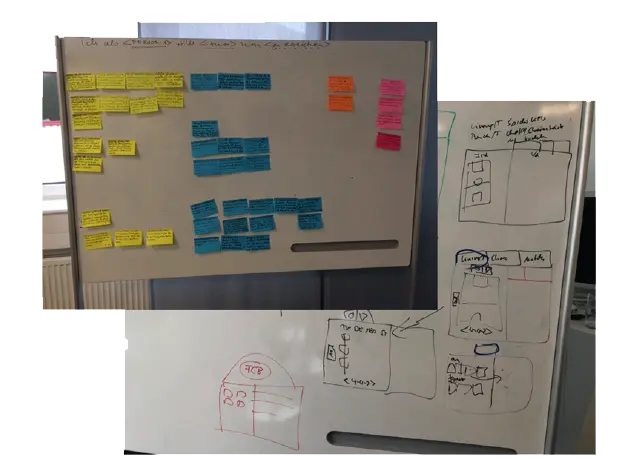
Design Thinking with real users at Eintracht Frankfurt — players, analysts, and coaches.

2

Map

Journey mapping for analyst and player roles across preparation, tagging, and review flows.

3

Design

Wireframes and interaction patterns for video review, event tracking, and sharing.

4

Prototype

High-fidelity prototypes in Adobe XD and Principle — tested with real match data.

5

Validate

Usability sessions with analysts and players. Iterate on density, hierarchy, and speed.

What I did

  • Led Design Thinking workshop at Eintracht Frankfurt with players, analysts, and coaches
  • Designed interaction patterns for video tagging, event tracking, and cross-player comparison
  • Restructured information hierarchy to surface key actions across dense data layouts
  • Built high-fidelity prototypes in Adobe XD and Principle for user validation
  • Improved timeline comparability — side-by-side views for analysing multiple sessions

Platform capabilities (icon system)

The Sports One icon set was designed to represent the platform's core functions across analytics, reporting, and team management contexts.

Player management Player mgmt
Analytics Analytics
Reporting Reporting

Match events Match events

Team setup Team setup

Video review Video review

Scouting Scouting

Training Training

Statistics Statistics

Accessibility Accessibility
Selected screens

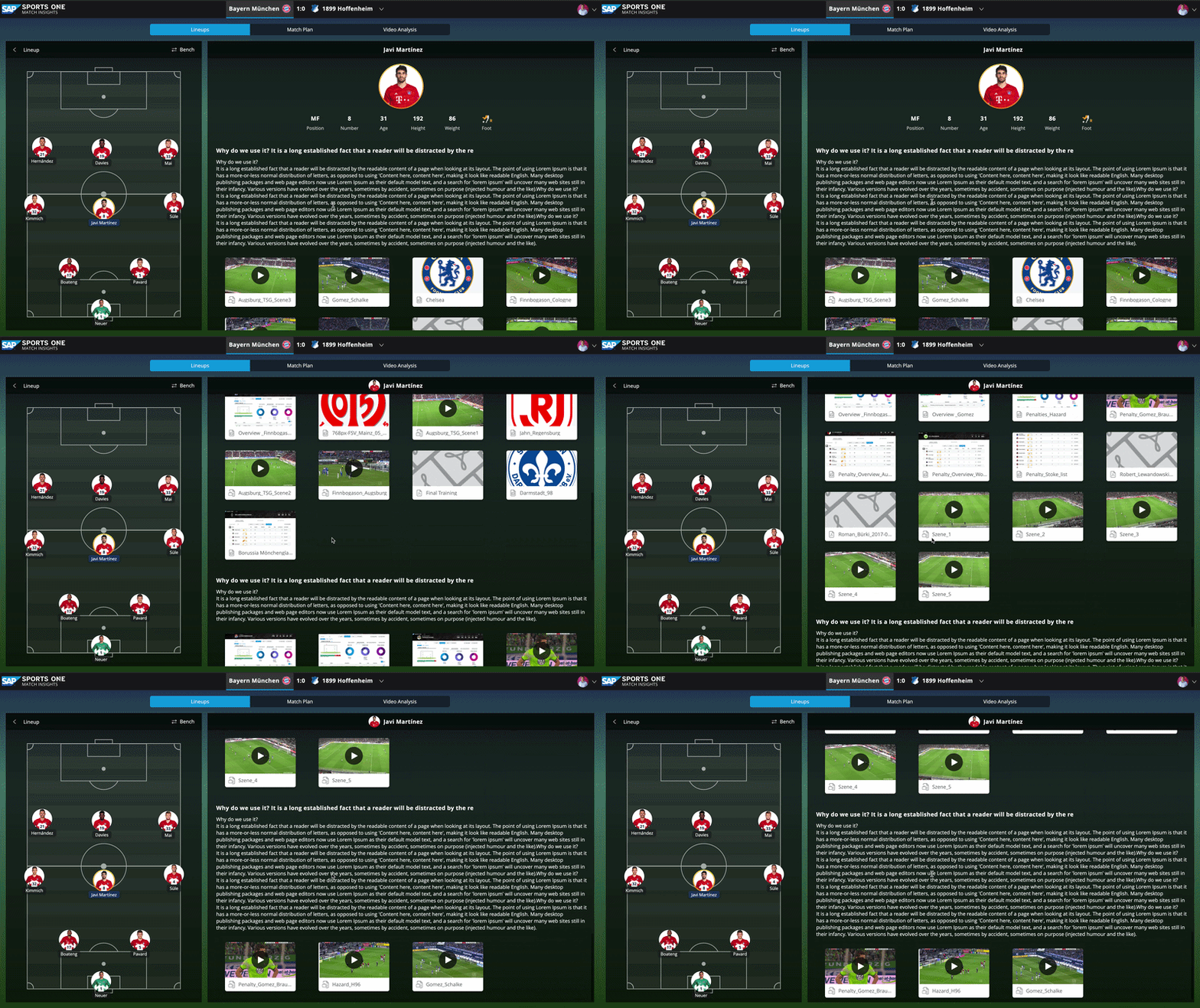
Match Insights dashboard overview
Match Insights dashboard — video, event timeline, and player data presented in a single unified layout
Design Thinking workshop at Eintracht Frankfurt
Design Thinking workshop at Eintracht Frankfurt — collaborative session with players, analysts, and coaches to map pain points
Interaction flow diagram
Interaction flow mapping — user journey from raw match data to personalised video packages for individual players
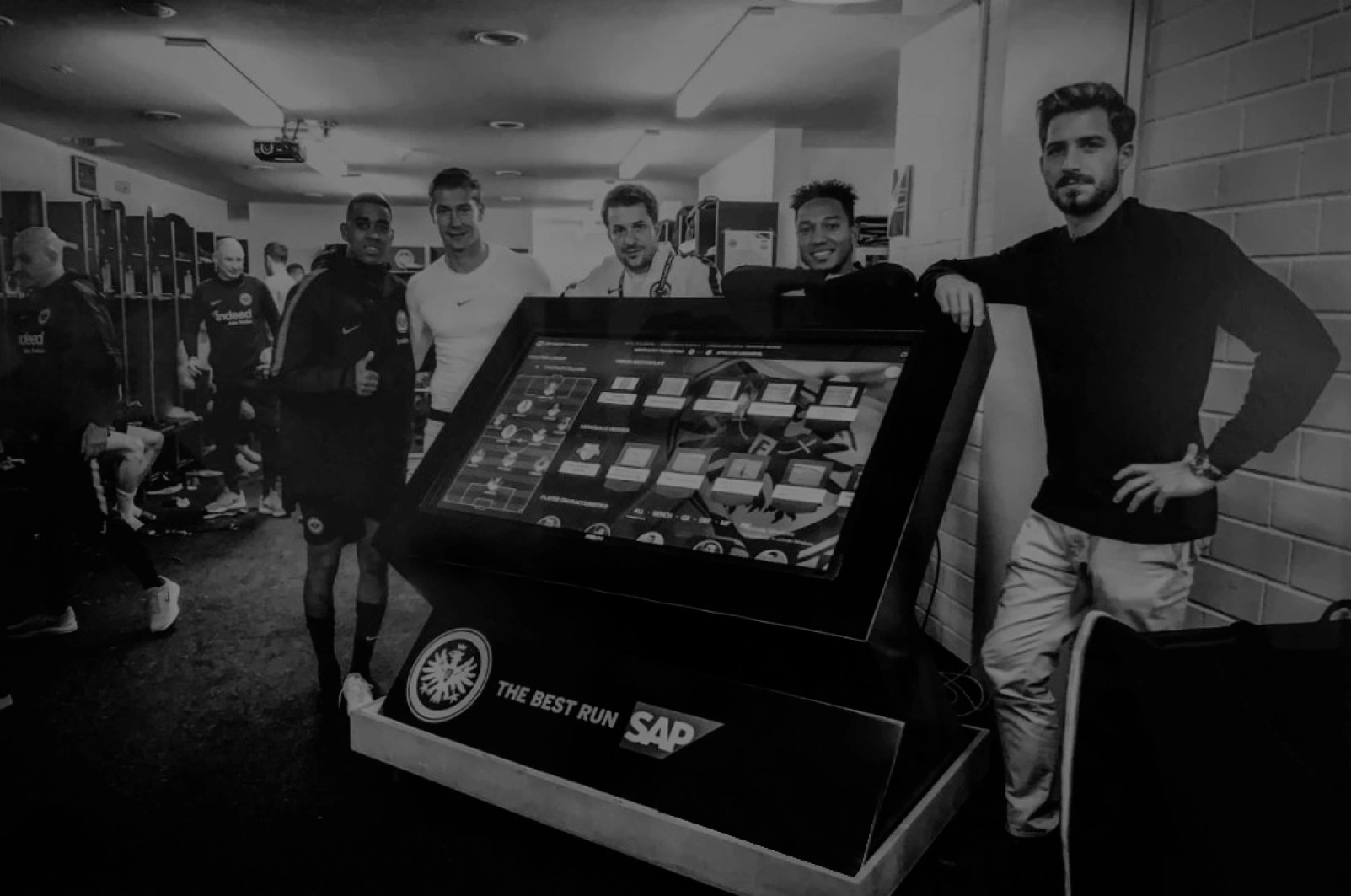
Match Insights on large screen — animated
Large screen view — real-time event tracking and video synchronisation for presentation rooms
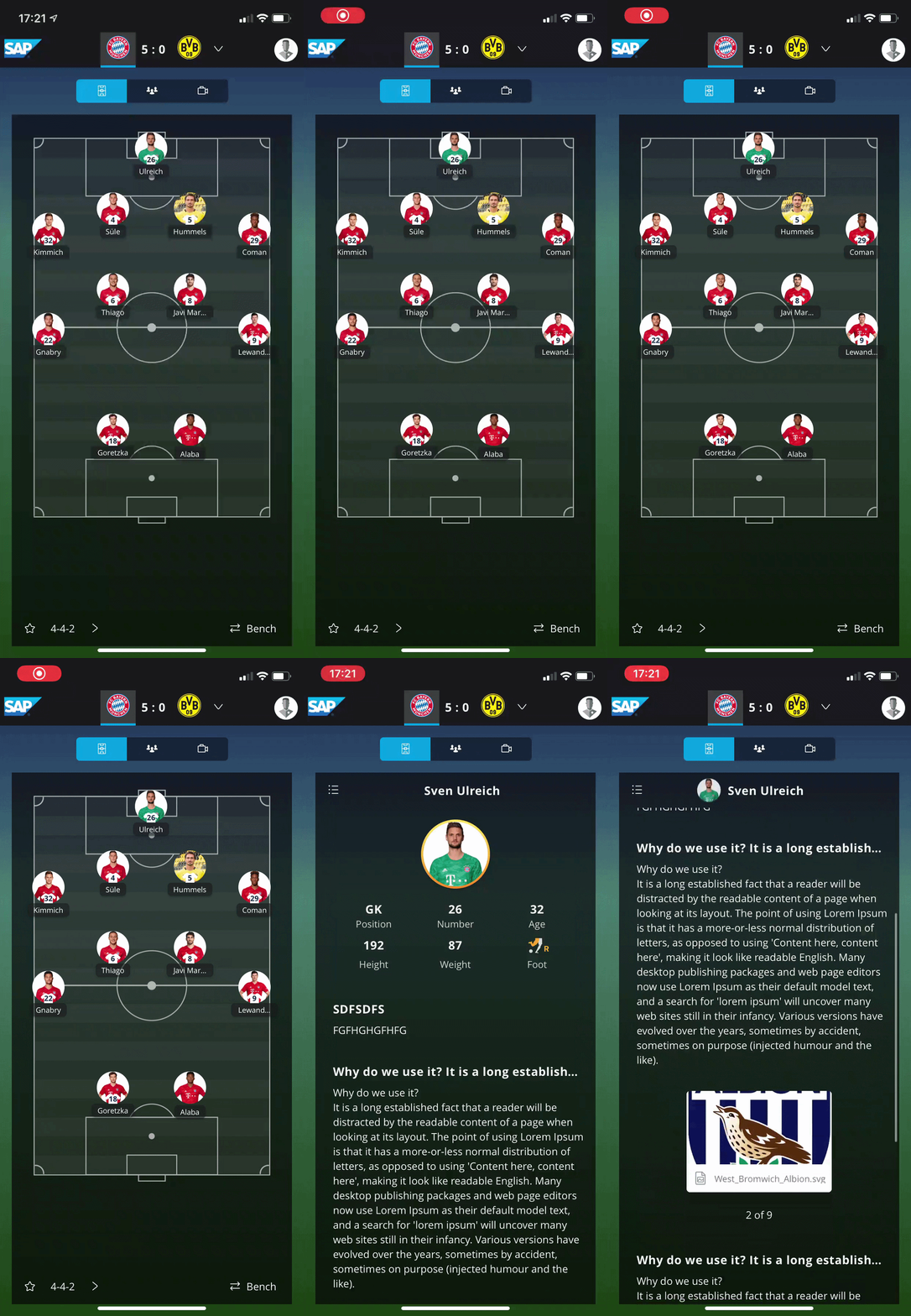
Match Insights mobile view — animated
Mobile-optimised view — touch-friendly event tagging during live match conditions
Some detailed interaction flows are confidential. Happy to walk through the full work in a call.

Outcome

  • Faster analysis loops — analysts reduced time-per-session through improved layout and tagging speed
  • Clearer timelines — side-by-side comparison made cross-session analysis significantly easier
  • Validated with real users at Eintracht Frankfurt before development handoff
RoleUX Designer (lead)
PlatformCloud web app
FocusML pattern discovery
Timeline8 months

Overview

Tactic Insights is a machine learning–powered platform for match analysts. It enables query-based tactical pattern discovery — for example: "show me all scenes where the player played passes behind the opponent's defence." The system surfaces matching scenes from a large video library, grouped and ranked by relevance.

This was a large distributed project: I worked across three international teams (Belarus frontend, China backend, Germany ML specialists) for 8 months.

Challenge

Analysts struggle to recognise and evaluate similar patterns across hundreds of scenes manually — a process that required significant time and effort with no structured tooling. Our goal was to make the ML output understandable, navigable, and actionable for non-technical users.

The additional complexity: designing for a distributed, cross-cultural team across multiple time zones — requiring async communication, clear documentation, and structured design rituals.

What I did

  • Designed the full interaction model for ML-powered query-based pattern search
  • Created interactive canvases, timeline scrubbing, and pattern tagging flows
  • Applied progressive disclosure to balance power-user depth with clarity for new users
  • Established async design-review rituals across three teams in different time zones
  • Built and iterated prototypes with Sketch, Principle, and InVision across multiple rounds
  • Translated complex ML output (clusters, confidence, similarity scores) into usable UI patterns

Process

1

Discovery

Analyst interviews and workflow shadowing to understand mental models of "pattern".

2

Model

Defining how ML output maps to analyst needs — clusters, confidence, and relevance.

3

Flows

Interaction design for query building, scene navigation, and pattern bookmarking.

4

Prototype

High-fidelity Sketch + Principle prototypes tested with analyst groups.

5

Iterate

Multiple rounds of user testing across roles. Async review with distributed teams.

Selected screens

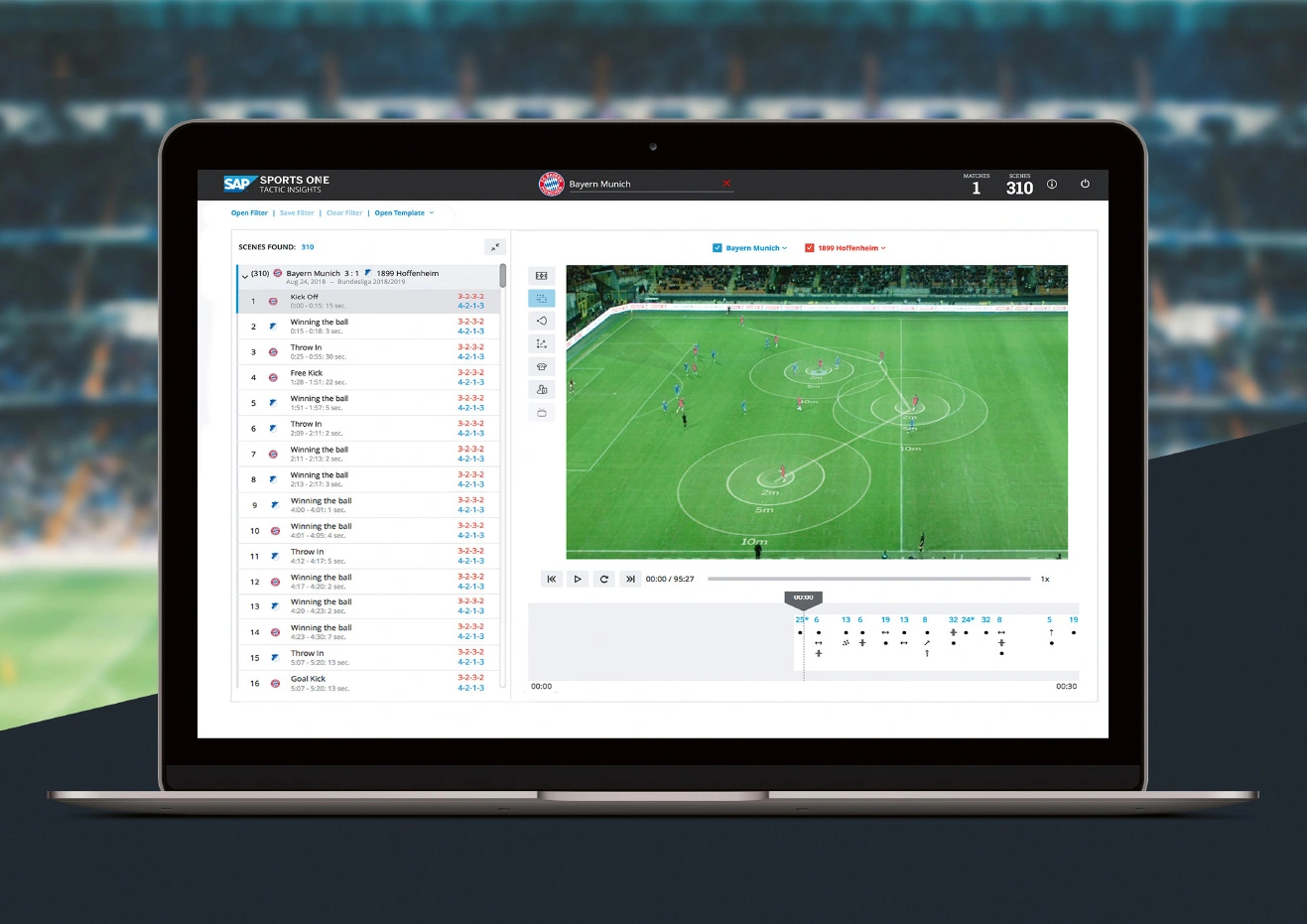
Tactic Insights platform overview
Tactic Insights platform overview — ML-powered query results grouped by tactical similarity, with scene navigation controls
Tactic Insights visual design detail
Query builder UI — structured input for spatial and event-based pattern queries
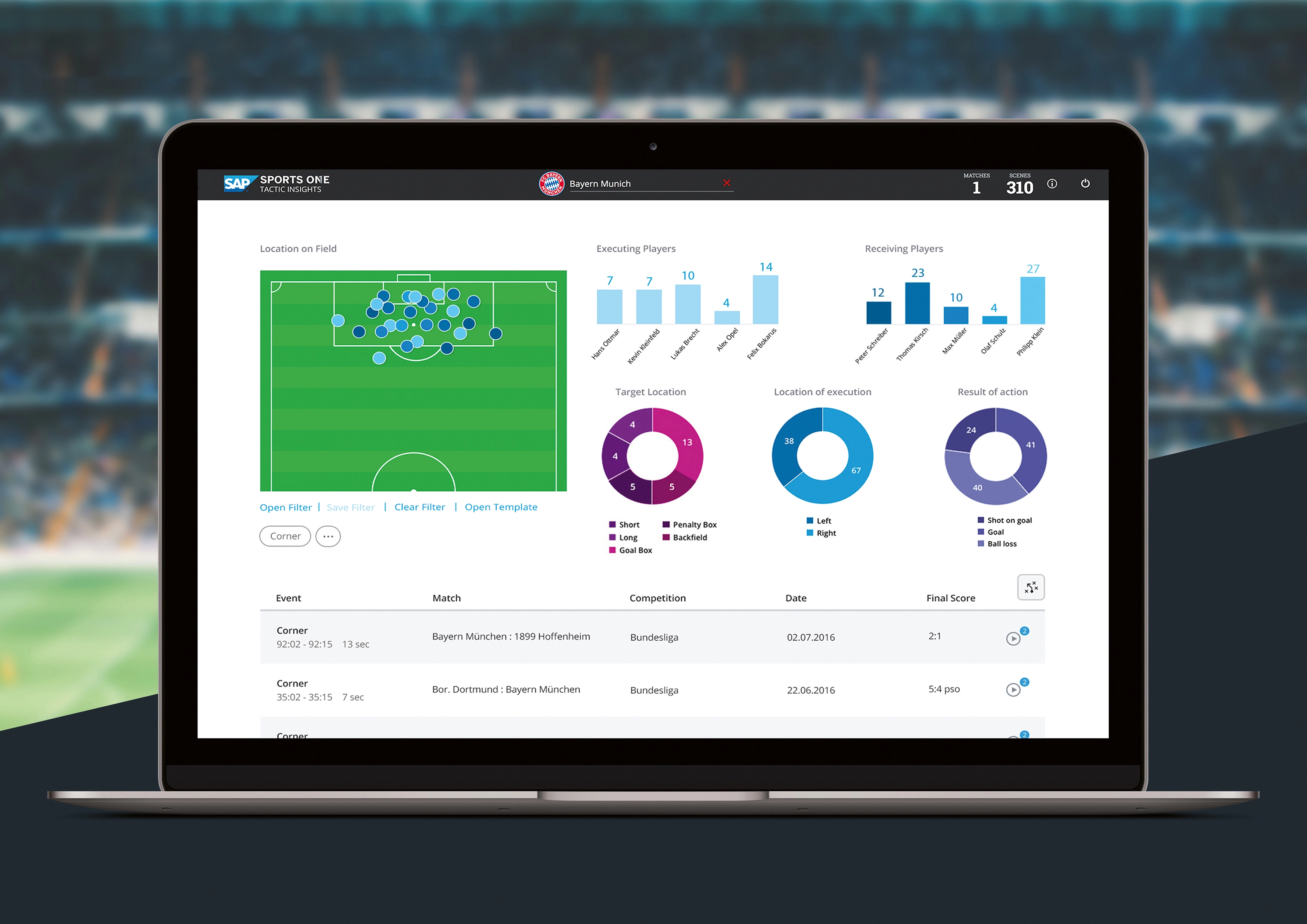
Tactic Insights data visualisation
Pattern clustering view — confidence scores and similarity groupings surfaced from the ML model
Visuals are under NDA. Happy to share more — including the interaction model — in a confidential call.

Outcome

  • More consistent tactical reviews — structured search replaced ad-hoc video browsing
  • Quicker decisions during team debriefs — patterns surfaced directly, not manually assembled
  • Reduced manual effort significantly — hours of tagging replaced by a query-and-review flow
  • Cleaner cross-team handoff — structured documentation reduced rework across three locations
RoleProduct Designer
PlatformiOS (iPhone)
FocusField scouting
Timeline8 weeks

Overview

Scout One is the iOS companion to SAP Sports One — a native iPhone app for professional scouts to manage scouting requests, create structured reports in the field, and access a global player database. I designed the product from scratch with a small full-stack team: one developer, one product stakeholder, and me.

Target users: chief scouts, field scouts, and temporary staff — typically working in stadiums, on the road, and in varying lighting and connectivity conditions.

Challenge

Scouts had no field-ready tool — all report creation required returning to the office. The app needed:

  • Offline-first: full functionality without reliable connectivity in stadiums
  • Sync with Sports One: reliable, conflict-free data exchange back to the desktop system
  • Complex report flows on a small screen: multi-step structured data entry for player assessments
  • Global player database access: search, filter, and bookmark across large datasets on mobile
  • Usable in low-light, time-pressured conditions: a scout watches a live match while creating notes

What I did

  • Designed the full iOS product from scratch: IA, core flows, UI, and interactive prototypes
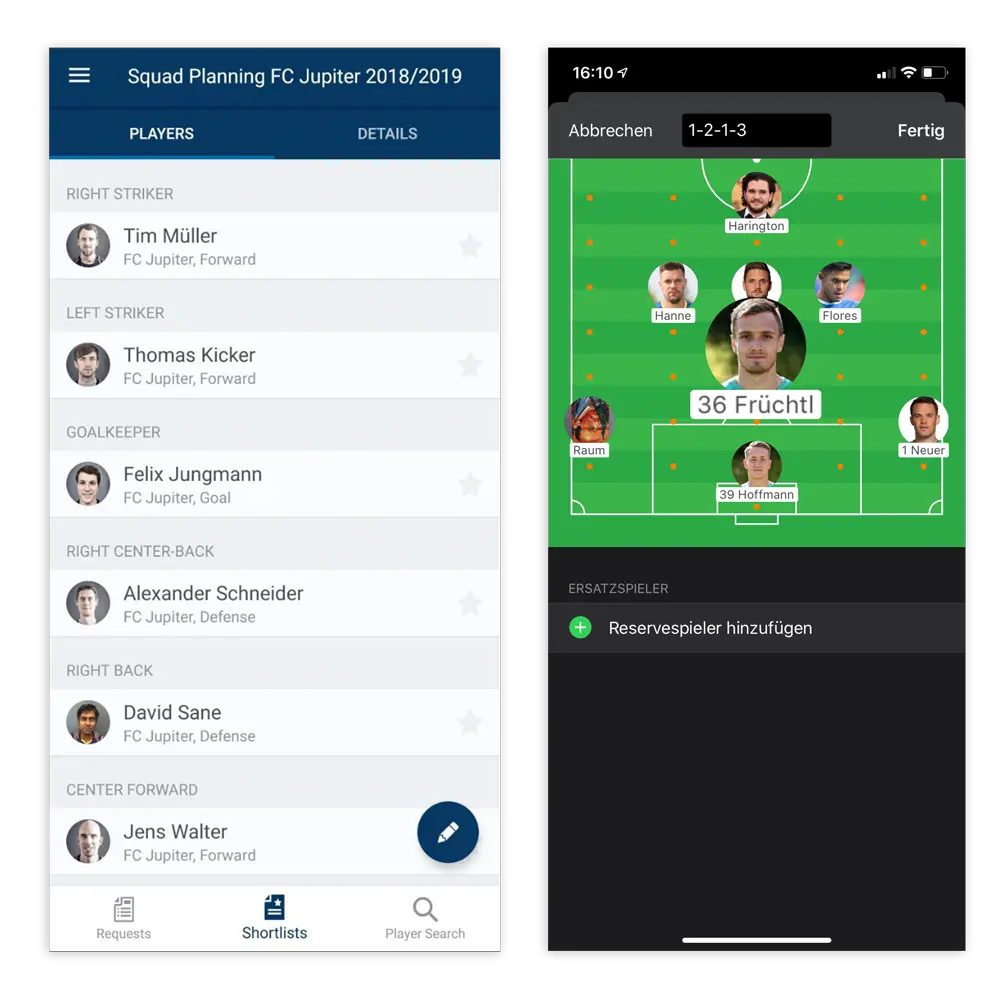
  • Designed search, filter, comparison tables, and shortlist management across scout roles
  • Solved offline-first UX: clear sync states, conflict indicators, and save confirmation patterns
  • Optimised report creation flows for one-handed use and frequent interruption
  • Validated with chief scouts and field scouts in structured usability sessions

Process

1

Shadowing

Observation of scouts' actual field workflow — tools used, pain points, report structure.

2

IA

Information architecture for player search, shortlists, reports, and sync states.

3

Wireframes

Low-fidelity flows for all core journeys — Balsamiq for rapid alignment with stakeholders.

4

High-fi

Full iOS UI in Sketch — native patterns, offline states, and SAP design system.

5

Test

Usability sessions with chief scouts and field scouts. Iterated on report flow and sync UX.

Selected screens

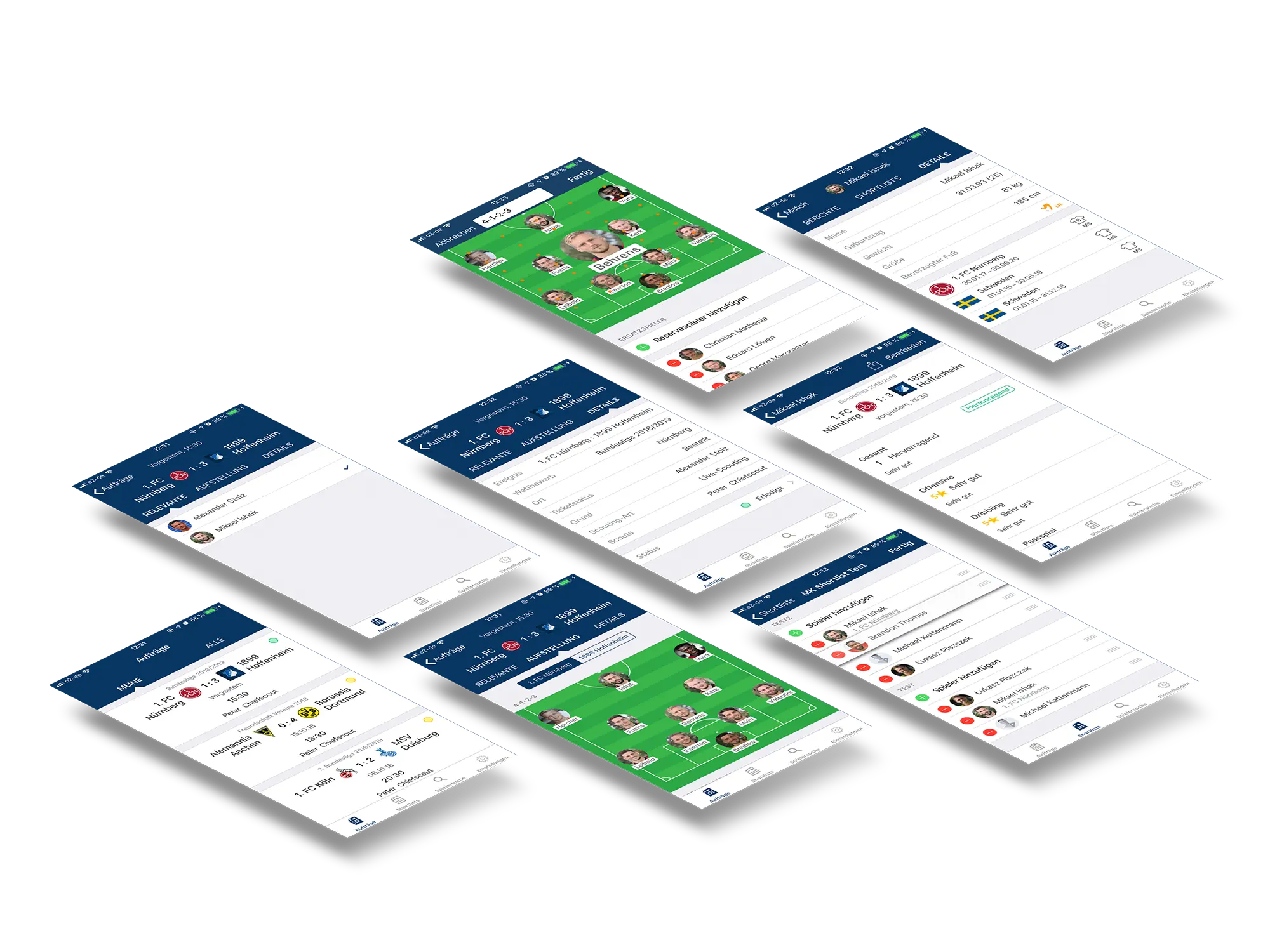
Scout One app main view
Scout One main interface — player search, scouting requests, and shortlist management on iOS
Scout One app perspective view
Field-ready perspective — designed for use in stadium environments with varying light and connectivity
Scout One report creation flow
Structured player assessment form — optimised for one-handed input and frequent interruption during live matches
Some screens are confidential. Happy to walk through the full iOS flow in a call.

Outcome

  • Scouts complete all scouting tasks in the field — no return to office required for report creation
  • Faster shortlisting — comparison tables and persistent bookmarks reduced review time
  • Consistent report quality across scout roles — structured templates replaced free-text notes
  • Offline-first design eliminated data loss during travel and poor-connectivity stadium visits

Want to see more?

Available for freelance and contract work. Berlin or remote across the EU.